MiniMax H3 Continuum – Long-Form Video & Audio for ComfyUI
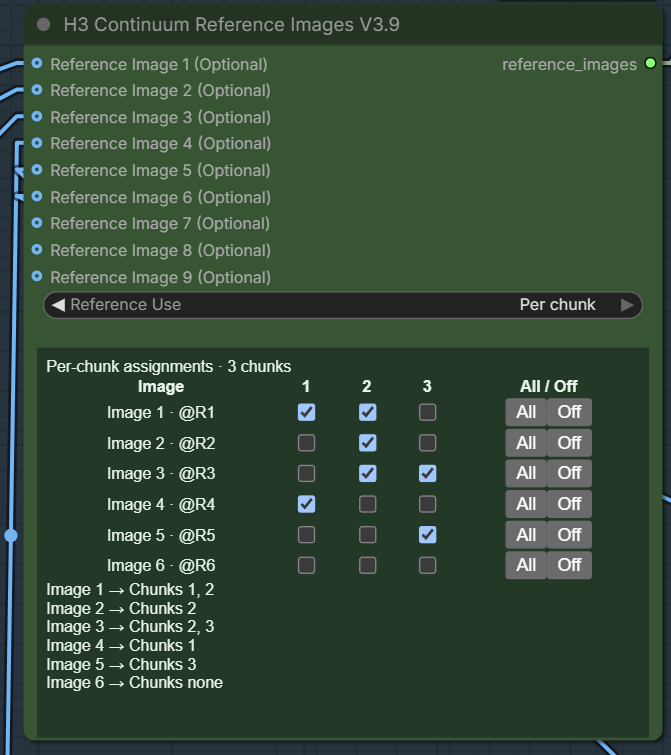
What’s New in V3.9 V3.9 introduces per-chunk Reference Images . Reference Images 1–9 now keep fixed IDs @R1@R9 ), and the new Reference Images V3.9 node lets you choose which images are active for each chunk. All references are connected to the V3.9 Sampler through one Reference Images input. For the supplied 2 × 10 s workflow, put each time header on its own line and describe only that chunk's action. For example, after enabling the matching image loaders and checking their chunk assignments: [0-10s] @R1 walks forward through a quiet hallway. The camera follows smoothly. [10-20s] @R2 enters from the right. The camera turns to follow @R2. ### V3.8X2 Compatibility V3.8X2 is still supported as-is. You can drag & drop your existing V3.8X2 workflow and continue using it normally with the V3.8 Sampler. The new V3.9 Reference system uses different wiring and is not automatically applied to old workflows. To use V3.9 features, either load the included V3.9 workflow or build/rewire your own workflow with the V3.9 Sampler and Reference Images V3.9 node. https://github.com/ukr8b3g-cmyk/ComfyUI-H3-Continuum/tree/main#v39-reference-images What’s New in V3.8X2 V3.8X2 is a small update to V3.8X.
- 番号
- TAIL-10
- 片长
- 5 分钟
tool、workflow、comfyui、custom node、video generation、image to video、comfyui custom node、temporal consistency、ref2video、reference image、video continuation、first last frame